FlowFiles - Joomla File Manager Designed For Managers Not Programmers
FlowFiles is a fast, two-pane file manager for Joomla administrators. Move folders, edit config files and clean up uploads without leaving the admin or reaching for FTP.
I built FlowFiles as an answer to the complex file management tools that sometimes felt more like I needed to be a programmer than a writer and manager - and even after acquiring the skills needed to manage my network of sites, I still had no safety net to protect me in case there were things that went wrong!
The tools I had relied on for this job were showing their age. They did the work for years, but development slowed, the interfaces felt dated against a modern Joomla back end, and I kept hitting the same friction on real sites. I wanted a file manager that felt like it belonged in current Joomla, handled the everyday jobs quickly, and did not hide half its usefulness behind a paid upgrade. So I built the one I wanted to use.
That last point is a deliberate design choice, not a marketing line. FlowFiles ships as one tier. There is no crippled free version and no "pro" wall between you and the features you actually need. If FlowFiles can do something, your copy can do it.
What FlowFiles Does:
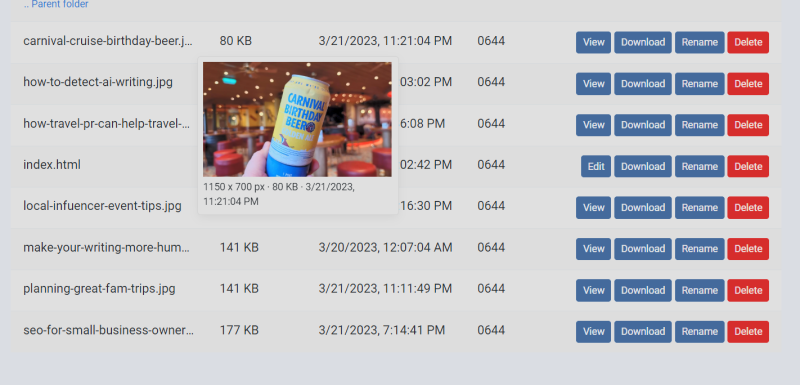
- A two-pane layout, so you can see source and destination at once and move or copy between them without guesswork.
- Everyday file operations done properly: upload single or multiple files, create and rename folders, and move, copy, or delete with clear feedback.
- Work with archives in place - compress a folder, or extract a package right where you need it.
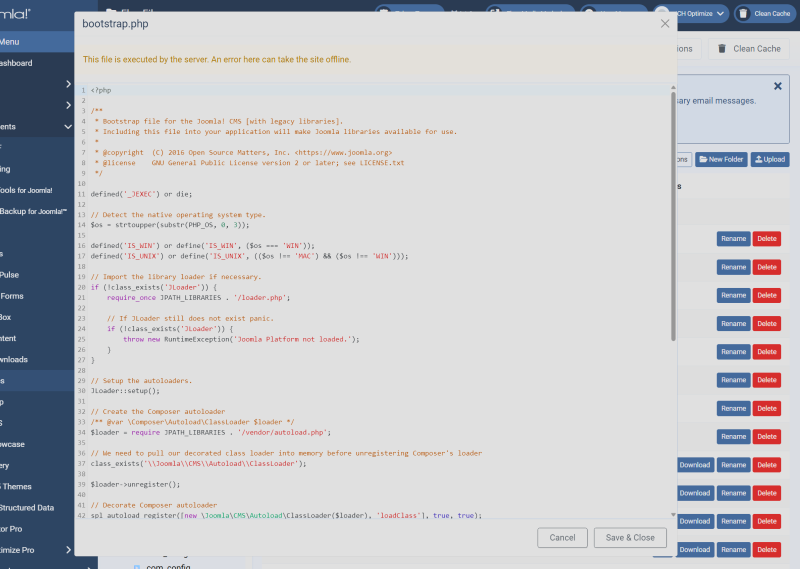
- Edit text and configuration files inline, so a quick fix does not mean a download, edit, and reupload round trip.
- Preview images and common file types before you act on them.
- Built for current Joomla, so it looks and behaves like part of the admin rather than a bolt-on from another era.
FlowFiles is aimed at the person who actually runs the site: the administrator, the developer, the one-person shop who needs to get in, do the file job, and get back to real work. It is not trying to be a hosting control panel or replace your deployment pipeline. It does the file-management job that Joomla itself leaves thin, and it does it without ceremony.
FlowFiles keeps improving with each release. If there is an operation you reach for constantly that is not here yet, tell us through the support form. That is exactly the kind of feedback that shapes what comes next.
Download FlowFiles Today
FlowFiles is released under the GNU General Public License. Download the package below and install it from System, Install, Extensions in your Joomla administrator.
Documentation
FlowFiles installs like any Joomla extension: download the package, then install it through System, Install, Extensions. Once installed, open it from the Components menu and you are ready to work.
The interface uses two panes side by side. Browse to a location in either pane, then select files or folders and use the toolbar to upload, move, copy, rename, delete, compress, or extract. Because both panes are visible at once, moving content from one place to another is a matter of picking the destination and clicking, with no guessing about where a file will land.
Common tasks:
- Upload: choose a destination folder and add one file or many at once.
- Organize: create folders, rename in place, and move or copy between the two panes.
- Archives: compress a folder into a zip, or extract a package where you need it.
- Edit: open a text or configuration file, make a quick change, and save without leaving the admin.
The full guide is in the FlowFiles documentation.
Support
FlowFiles is actively developed and supported. If you run into a problem, have a question, or want to request a feature, use the support form and we will help.
When reporting an issue, it helps to include your Joomla and PHP versions and a short description of what you were doing when the problem happened. That gets you a useful answer faster.
Changelog
Every release is listed in the FlowFiles changelog.