I've been frustrated with the state of tools and software for several years now. Things were too expensive and they didn't fully fit my business needs. They were often developed for large corporations with more features than I needed and the price was positioned to match. Unfortunately they also didn't fully meet my needs. That's a weird paradox - incredibly powerful software with features that I'll never use but at the same time still failing to support me while working to overcome challenges.
Having been neck deep in AI content - writing, images, now video - for more than eight years, I had always been curious about vibe coding but never jumped in since it honestly seemed pretty scary. The idea that I was creating software without even knowing what I was doing - that's just not right. It's one thing to create a blog post with an error or hallucination, but what if my program crashes? What if the agent takes over my computer and deletes my hard drive?
Those were very real fears and they kept me back for far too many months. Finally I decided to dive in with Claude Code on the web and took a plugin for Joomla that I use on all my sites but it never really did what I hoped. I uploaded it into Claude and told it what I wanted. In a few minutes it crunched out an updated plugin that did exactly what I asked. Wow.
I rapidly found that while this was good for one-and-done type projects, truly developing something meaningful was beyond the scope of the web interface. So I tried Claude Code CLI but got scared by the command line interface - command lines can be scary, even for someone with a Linux background - and then I got hooked on Google's Antigravity. What quickly became obvious after building a few apps is that I needed a place to store the apps being developed and I also needed a place to run them as a test server.
GitHub was an amazing tool for the first need, but for my dev server I needed something dedicated, designed to store everything I needed and ideally Linux-based so I could replicate my server environment on the VPS where most of my websites are deployed.

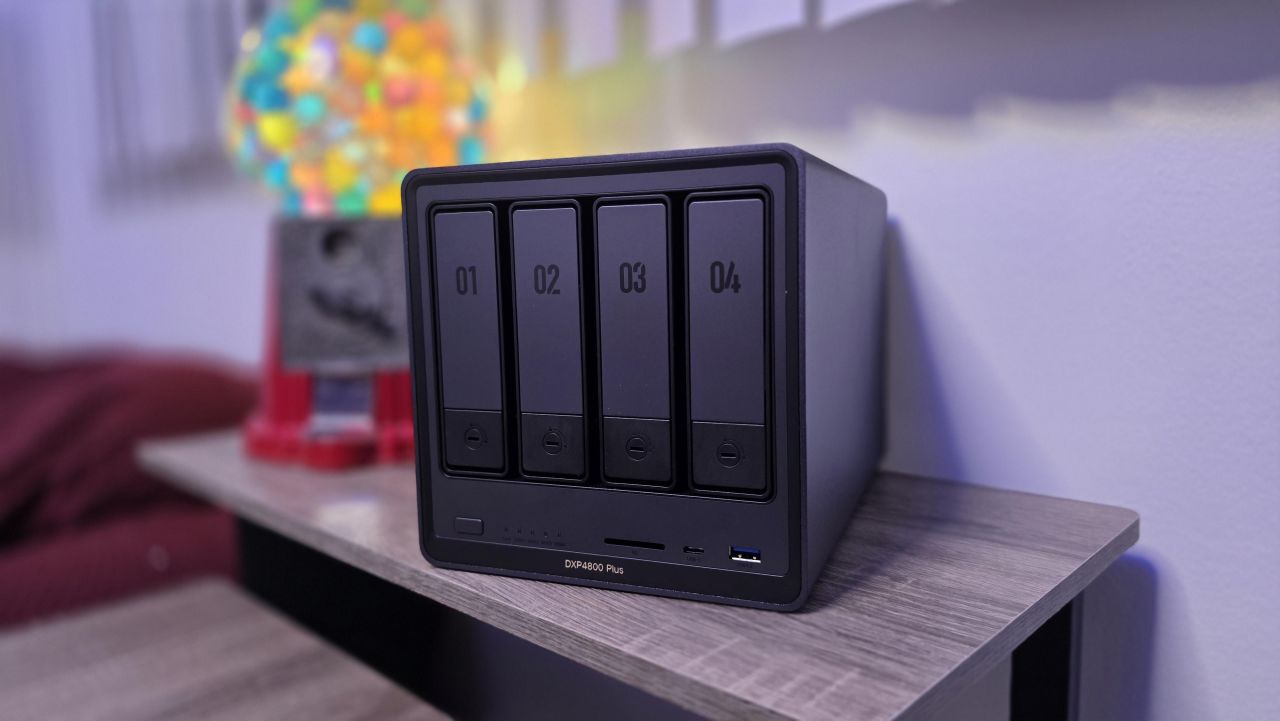
The UGREEN DXP4800 Plus that I had right there on my desk ended up being the perfect solution. Expandable RAM, expandable drives, already working as my backup, already connected to everything. That's when I realized you could actually run Linux on a VM - and away we went.
What I've Figured Out After Months of Breaking Things and Fixing Them
I can't say that I'm doing all the right things, but Claude Code paired with my UGREEN NAS has become a wickedly powerful combination. Here's what I've learned so far that might save you some headaches.
Stage Your Sites and Apps Locally So Production Doesn't Pay for Your Mistakes
This is the tip I wish someone had given me months ago. Before setting up the NAS as a dev server, I was testing changes directly on my live sites. That meant several instances of taking down my production environment because we made a mistake. Now I have all of my websites and apps staged on the Linux VM running on my NAS. I can make radical improvements, test them thoroughly, and then deploy the updates once they're verified - instead of crossing my fingers and hoping a live push doesn't break something at 2 AM.
Your NAS Already Has the Hardware - You Don't Need Another Machine
This is something I had previously assumed would require buying another machine. A dedicated PC to act as a server, or forcing a laptop to do double duty. The DXP4800 Plus was already sitting on my desktop doing backup and file serving. It has expandable RAM, expandable drives, and it was already connected to everything in my network. Setting up a Linux VM on existing NAS hardware turned out to be the move that made the whole workflow possible - affordable, self-contained, and without adding another device to manage.
Mirror Your Production Environment So Deployments Are Predictable
Most of my websites are deployed on a Linux VPS. Running a Linux VM on the NAS means my local dev environment closely mirrors what's actually running in production. When code works on the NAS, it works when deployed. That eliminates the class of problems where something runs fine on your local machine but breaks the moment you push it live.
Give Your AI Agent a Sandbox It Can Safely Destroy
I still run Claude Code on my desktop - I haven't yet moved to installing Claude Code CLI directly on the Linux server. But the big advantage of this setup is that my agent gets full access to the dev environment on the NAS. It can try things, break things, and fix things in a space where if the worst happens, I simply have to reset the image. That fear I mentioned earlier about an agent deleting my hard drive? It's effectively neutralized when the agent is working inside a VM snapshot that I can roll back in minutes.
A NAS Is More Flexible Than Most People Realize
This setup is nearly the perfect dev system for vibe coders and agentic coders who need an environment they can experiment in without consequences. It's affordable, self-contained, and it just goes to show how flexible a NAS like the UGREEN DXP4800 Plus really is. If you're building apps with AI tools and you already own a capable NAS, you might already have your dev server - you just haven't set it up yet.
